Conflict Prevention

Locking a Document

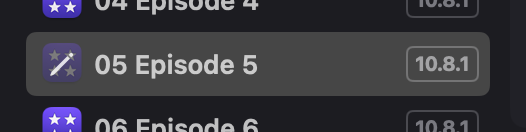
When you open a document in PostLab, it locks for other team members, preventing their access. A pencil icon appears on your document icon, while your team members see a padlock.

Pencil icon, indicating work in progress.
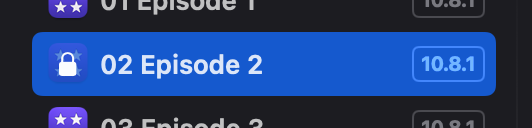
Padlock icon, indicating it's locked.

Locking a Final Cut Pro Event, DaVinci Resolve Project or Media Composer Bin Folder

This feature requires a PostLab Pro license.

If a Final Cut Pro Library has a linked event, that event will lock as soon as you open the library it’s linked to. This stops the event from being overwritten while still letting you access it from other libraries. The same applies to linked projects in Resolve Project Libraries and linked bin folders in Media Composer Projects.

The linked 'Media' event is locked.
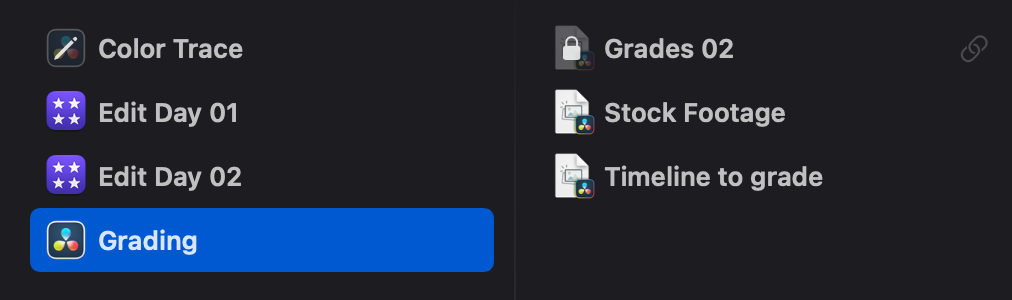
The linked 'Grades 02' project is locked.
Three linked bin folders are locked.

When an event or project is locked, PostLab adds a padlock emoji 🔒 to it's name in the NLE. Media Composer doesn't support emojis, so in case of a bin folder, PostLab adds [locked] to the bin folder name and it's bins.

[LOCK] is added in front of folder and bin names.
The FCP event Media is locked.

Last updated